VR Glasses क्या है? कैसे काम करते हैं, Types और Uses (2026)
आज VR Glasses सिर्फ Gaming तक सीमित नहीं हैं। इनका इस्तेमाल Virtual Reality, 3D Entertainment, Simulation, Education और कई दूसरे experiences के लिए किया जाता है। हालांकि एक जरूरी बात समझना है—VR Glasses, VR Headset और Smart Glasses हमेशा एक ही चीज नहीं होते।
Quick Answer: VR Glasses एक wearable display device है जो आंखों के सामने digital images दिखाकर Virtual Reality या बड़े virtual screen जैसा experience देता है। Traditional VR Headset में आमतौर पर display के साथ motion tracking और processing hardware भी होता है, जबकि 2026 में “VR Glasses” नाम से बिकने वाले कुछ lightweight devices मुख्य रूप से connected display की तरह काम करते हैं और Phone, Laptop या दूसरे host device पर निर्भर हो सकते हैं।
VR Glasses क्या है?
VR Glasses यानी Virtual Reality Glasses ऐसे wearable devices हैं जिन्हें आंखों के सामने पहनकर digital environment या virtual screen देखा जाता है।
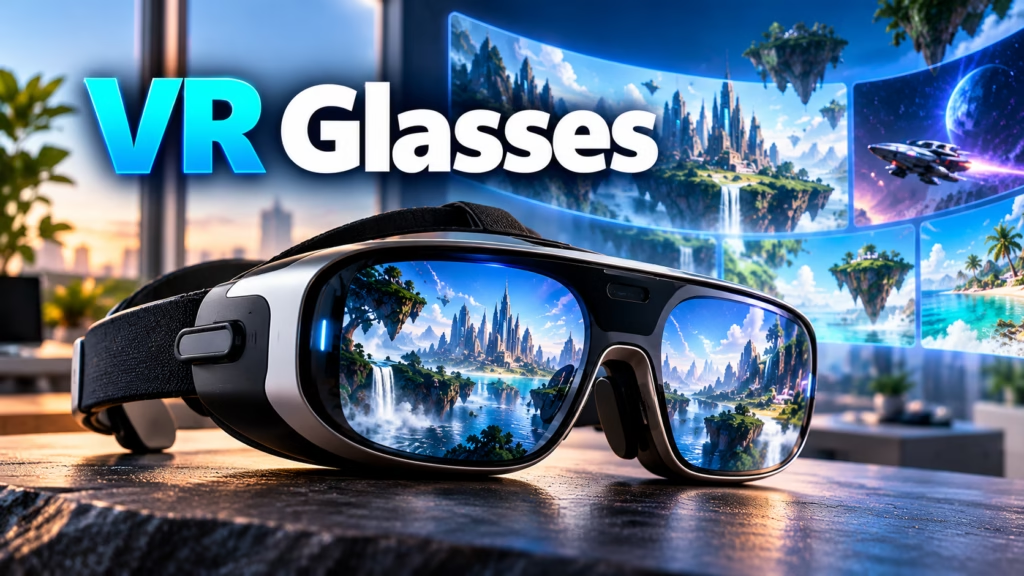
इनमें सामान्यतः दोनों आंखों के लिए अलग-अलग visual information दी जाती है। Brain इन दोनों images को combine करके 3D और depth वाला experience महसूस करता है।
Traditional VR systems में:
- Display
- Lenses
- Motion Sensors
- Head Tracking
- Audio
- Processing Hardware
जैसे components हो सकते हैं।
हालांकि आज market में “VR Glasses” शब्द का इस्तेमाल lightweight wearable displays के लिए भी होता है। इसलिए खरीदने से पहले यह समझना जरूरी है कि product वास्तव में VR Headset, AR Glasses, Display Glasses या Smart Glasses में से क्या है।
2026 में VR Glasses का नया Trend: AI Smart और XR Glasses
2026 में VR Glasses का trend सिर्फ Virtual Reality Gaming तक सीमित नहीं रहा। अब industry का बड़ा focus AI Smart Glasses, AR Glasses और XR Display Glasses पर है।
IDC के 2026 data के अनुसार Q1 में display-less Smart Glasses shipments में साल-दर-साल 167% growth हुई, जबकि display वाले AR/VR/MR/XR eyewear shipments 86% बढ़े। Q2 2026 में भी XR glasses की shipments share बढ़कर 25.8% तक पहुंचने की बात Omdia ने कही।
इस trend में तीन major directions दिखाई दे रहे हैं:
- AI Smart Glasses — Voice AI, Camera, Translation, Navigation और hands-free assistance
- AR/XR Glasses — Real world के साथ digital information या virtual content
- Display Glasses — Phone, Laptop या Gaming device से connect होकर बड़ा virtual screen
Samsung और Google भी AI-powered intelligent eyewear पर काम कर रहे हैं, जिसमें Gemini, real-time translation, navigation और notifications जैसे features शामिल हैं।
इसलिए 2026 में “VR Glasses” search करने वाले users के लिए AI Glasses, AR Glasses और XR Glasses भी important related technologies बन गई हैं।
SEO के लिए एक और छोटा section जोड़ें
VR Glasses 2026 में क्यों Trending हैं?
इसके पीछे तीन बड़े कारण हैं:
AI Integration: Glasses अब केवल display device नहीं रहे; AI assistant और voice interaction इन्हें everyday wearable बनाने की दिशा में ले जा रहे हैं।
Lightweight Design: Industry traditional bulky headsets की तुलना में ऐसे glasses पर ज्यादा focus कर रही है जिन्हें रोजमर्रा में पहना जा सके। Omdia ने भी lightweight AI और AR glasses की तरफ industry shift को highlight किया है।
Entertainment + Productivity: नए XR/Display Glasses Gaming और Movies के साथ Laptop work, virtual screens और productivity use cases को भी target कर रहे हैं।
मेरी सलाह: इसे आपके existing post में जरूर add करो। इससे VR Glasses article सिर्फ generic definition post नहीं रहेगा और 2026 का current trend + AI Glasses + AR/XR Glasses वाला search intent भी cover होगा।
VR Glasses कैसे काम करते हैं?
VR experience बनाने के लिए केवल Screen काफी नहीं होती। Device को आपकी आंखों तक सही image पहुंचाने और कई मामलों में आपके head movement को track करने की जरूरत होती है।
इसका basic process इस तरह समझें:
Display → Lenses → दोनों आंखों तक अलग Image → Brain में 3D Depth का अनुभव
Advanced VR Headsets में इसके साथ:
Sensors → Head Movement Tracking → Virtual Environment में Image Movement
भी होता है।
इसका मतलब अगर आप अपना सिर दाईं तरफ घुमाते हैं, तो supported VR experience में virtual environment भी उसी movement के अनुसार बदल सकता है।
Modern VR systems में 3DOF और 6DOF tracking जैसी technologies इस्तेमाल हो सकती हैं। 6DOF system head/body की position और orientation को ज्यादा व्यापक तरीके से track कर सकता है।
VR Glasses और VR Headset में क्या अंतर है?
इन दोनों terms को अक्सर एक ही meaning में इस्तेमाल किया जाता है, लेकिन practical difference हो सकता है।
| Feature | VR Glasses | VR Headset |
|---|---|---|
| Design | Glasses जैसा lightweight design हो सकता है | बड़ा headset |
| Weight | आमतौर पर हल्का | अपेक्षाकृत भारी |
| Display | Product के अनुसार | Built-in |
| Tracking | Model पर depend | Advanced models में available |
| Processing | कई glasses में external device चाहिए | Standalone models में built-in |
| Battery | Product पर depend | Standalone headset में built-in |
| Gaming | Product पर depend | VR Gaming के लिए ज्यादा suitable |
| Laptop/Phone connection | कई models में जरूरी | Standalone में जरूरी नहीं |
| Main use | Virtual display/media/productivity | Gaming, VR, Mixed Reality |
Important: “VR Glasses” नाम देखकर यह assume नहीं करना चाहिए कि हर model standalone VR चला सकता है।
VR Glasses के Types
आज VR और wearable display market में कई तरह के devices देखने को मिलते हैं।
1. Standalone VR Headset
यह अपने अंदर:
- Processor
- Battery
- Storage
- Display
- Tracking hardware
रखता है।
इसे चलाने के लिए सामान्यतः PC या Phone की आवश्यकता नहीं होती।
यह category traditional VR gaming और immersive applications के लिए ज्यादा complete experience देती है।
2. PC VR Headset
इस प्रकार के VR devices को powerful PC से connect किया जाता है।
PC game या application को process करता है और headset को visual information भेजता है।
इनका उपयोग:
- High-end VR Gaming
- Simulation
- 3D Applications
- Professional Training
में किया जा सकता है।
3. Mobile VR Glasses
कुछ पुराने या budget-oriented VR devices में Smartphone को headset के अंदर लगाया जाता है।
Phone:
- Display
- Processing
- Sensors
का काम करता है।
ऐसे devices पहले काफी popular थे, लेकिन modern standalone VR technology ने इस category की जरूरत को काफी कम कर दिया है।
4. Display Glasses
2026 में “VR Glasses” के नाम से कई lightweight glasses ऐसे भी मिलते हैं जिनका मुख्य काम आपके सामने large virtual screen दिखाना होता है।
ये अक्सर:
- Phone
- Laptop
- Handheld Gaming Device
- Console
जैसे external devices से connect होते हैं।
ऐसे glasses को हमेशा traditional room-scale VR headset नहीं समझना चाहिए।
5. AR Glasses
AR (Augmented Reality) में digital information को real-world view के साथ combine किया जाता है।
उदाहरण के लिए glasses के माध्यम से real surroundings देखते हुए digital:
- Information
- Navigation
- Notifications
- Objects
- Visual overlays
दिखाए जा सकते हैं।
यह VR से अलग concept है क्योंकि VR आमतौर पर virtual environment को primary experience बनाता है, जबकि AR real world के ऊपर digital information जोड़ता है।
6. Smart Glasses
Smart Glasses एक और अलग category है।
इनमें camera, microphone, speakers, AI features या notifications जैसी सुविधाएं हो सकती हैं।
लेकिन हर Smart Glass में display या VR capability जरूरी नहीं है।
इसलिए:
Smart Glasses ≠ VR Glasses
और
AR Glasses ≠ VR Headset
इन differences को समझना जरूरी है।
VR Glasses का इस्तेमाल किस काम में होता है?
VR technology का उपयोग कई अलग-अलग क्षेत्रों में होता है।
1. Gaming
VR Gaming इसका सबसे popular use case है।
Game में केवल Screen देखने के बजाय user virtual environment के अंदर होने जैसा experience ले सकता है।
कुछ games में:
- Head Movement
- Hand Tracking
- Controllers
- Room Movement
भी इस्तेमाल किए जाते हैं।
2. 3D Movies और Entertainment
VR devices के जरिए immersive video और 3D content देखा जा सकता है।
कुछ lightweight display glasses traditional TV या laptop screen की जगह large virtual screen जैसा experience देने पर focus करते हैं।
3. Education
VR का इस्तेमाल educational simulations में किया जा सकता है।
उदाहरण:
- Virtual Museum
- Space Exploration
- Science Simulation
- Historical Locations
- 3D Learning
इससे students किसी concept को केवल पढ़ने के बजाय visual experience के रूप में देख सकते हैं।
4. Training
VR simulation का इस्तेमाल training के लिए भी किया जाता है।
उदाहरण:
- Industrial Training
- Flight Simulation
- Medical Training
- Safety Training
- Equipment Training
Real-world environment में training करने की तुलना में कुछ situations को virtual environment में simulate करना आसान हो सकता है।
5. Virtual Travel
VR के जरिए कुछ locations और environments का virtual experience लिया जा सकता है।
आप बिना physically travel किए:
- Museums
- Tourist Places
- Historical Locations
- Natural Environments
का immersive content देख सकते हैं।
6. Work और Productivity
कुछ modern wearable display glasses Laptop या दूसरे device से connect होकर एक large virtual screen जैसा experience दे सकते हैं।
यह travel या limited-space situations में उपयोगी हो सकता है।
VR Glasses खरीदते समय क्या देखें?
अगर आप VR Glasses खरीदने की सोच रहे हैं, तो केवल design देखकर decision न लें।
इन specifications को check करें।
1. Display Resolution
Resolution ज्यादा होने पर image अधिक detailed दिखाई दे सकती है।
लेकिन केवल resolution ही display quality तय नहीं करता।
2. Refresh Rate
Refresh rate बताता है कि display एक second में कितनी बार image refresh करता है।
Higher refresh rate motion को smoother महसूस कराने में मदद कर सकता है।
3. Field of View
FOV (Field of View) बताता है कि virtual image आपके देखने के क्षेत्र में कितना हिस्सा cover करती है।
FOV ज्यादा होने पर experience अधिक expansive महसूस हो सकता है।
4. Tracking
अगर आपका उद्देश्य actual VR Gaming है, तो Head Tracking और positional tracking बहुत important हैं।
केवल बड़ा virtual screen दिखाने वाले glasses में tracking capabilities अलग हो सकती हैं।
5. Compatibility
खरीदने से पहले check करें कि device आपके:
- Android Phone
- iPhone
- Windows Laptop
- Mac
- Gaming Console
- Handheld
के साथ compatible है या नहीं।
6. USB-C Support
कई modern display glasses USB-C के माध्यम से video signal लेते हैं।
लेकिन केवल USB-C port होना पर्याप्त नहीं है। Device में compatible DisplayPort Alt Mode या आवश्यक video-output support होना चाहिए।
इसलिए Phone का USB-C port देखकर automatically यह assume न करें कि कोई भी VR/display glasses काम करेंगे।
7. Weight और Comfort
VR device आंखों और चेहरे पर लंबे समय तक पहना जा सकता है।
इसलिए:
- Weight
- Nose pressure
- Head strap
- Lens adjustment
- Face comfort
को भी ध्यान में रखें।
8. Battery Life
Standalone VR Headset में battery life महत्वपूर्ण है।
अगर आप लंबे Gaming sessions करते हैं, तो battery capacity और actual usage time check करें।
VR Glasses और AR Glasses में अंतर
| Feature | VR Glasses | AR Glasses |
|---|---|---|
| Full virtual environment | हाँ, supported devices में | सामान्यतः नहीं |
| Real world visibility | Limited/blocked हो सकती है | मुख्य experience में रहती है |
| Main purpose | Virtual Reality | Real world + digital information |
| Gaming | Strong use case | Model पर depend |
| Navigation | Limited/possible | Strong use case |
| Digital Overlay | सामान्यतः virtual environment में | Real world के ऊपर |
| Immersion | ज्यादा | comparatively different |
VR Glasses और Smart Glasses में अंतर
यह confusion आज काफी common है।
VR Glasses
मुख्य focus:
Virtual Reality / Immersive Display
Smart Glasses
मुख्य focus हो सकता है:
- Camera
- Microphone
- Speakers
- Voice Assistant
- AI
- Notifications
- Hands-free controls
कुछ products इन categories की features को combine भी कर सकते हैं।
इसलिए product खरीदते समय केवल “Smart Glasses” या “VR Glasses” नाम देखकर specifications assume न करें।
क्या VR Glasses में Phone की जरूरत होती है?
यह device पर depend करता है।
Standalone VR Headset
आमतौर पर Phone की जरूरत नहीं होती।
Mobile VR
Phone की जरूरत हो सकती है।
Display Glasses
Phone, Laptop या दूसरे host device की जरूरत हो सकती है।
Smart Glasses
Companion Phone/App की जरूरत हो सकती है।
इसलिए खरीदने से पहले Connectivity और Compatibility section जरूर पढ़ें।
क्या VR Glasses में Internet जरूरी है?
हर VR experience के लिए हमेशा Internet जरूरी नहीं है।
कुछ applications और games offline चल सकते हैं, जबकि:
- Online Games
- Streaming
- Cloud Services
- Multiplayer
- Online Content
के लिए Internet की जरूरत हो सकती है।
यह device और application पर depend करता है।
क्या VR Glasses आंखों के लिए Safe हैं?
VR Glasses का इस्तेमाल करते समय comfort और usage duration का ध्यान रखना जरूरी है।
कुछ लोगों को लंबे समय तक VR इस्तेमाल करने पर:
- Eye Strain
- Headache
- Dizziness
- Motion Sickness
- Nausea
जैसी समस्याएं हो सकती हैं।
अगर ऐसा महसूस हो तो device हटाकर break लेना चाहिए।
बच्चों के लिए
अगर बच्चे VR इस्तेमाल करते हैं, तो manufacturer की age guidance और safety instructions जरूर देखें।
VR Glasses में Motion Sickness क्यों होती है?
VR में आंखों और शरीर के balance system को अलग-अलग signals मिल सकते हैं।
उदाहरण के लिए आंखें महसूस कर सकती हैं कि आप तेजी से move कर रहे हैं, जबकि आपका शरीर वास्तव में स्थिर है।
इस mismatch के कारण कुछ users को motion sickness हो सकती है।
इसके लिए:
- शुरुआत में छोटे sessions रखें
- अचानक तेज movement वाले experiences से बचें
- पर्याप्त ventilation रखें
- discomfort होने पर तुरंत break लें
क्या VR Glasses बिना PC के चल सकते हैं?
कुछ चल सकते हैं और कुछ नहीं।
Standalone VR
PC की जरूरत नहीं।
PC VR
PC जरूरी हो सकता है।
Display Glasses
PC की जरूरत नहीं भी हो सकती, लेकिन Phone या compatible handheld device की जरूरत हो सकती है।
इसलिए “No PC Required” और “No External Device Required” दोनों एक जैसी बातें नहीं हैं।
क्या VR Glasses में Games खेले जा सकते हैं?
हाँ, लेकिन Gaming capability device पर depend करती है।
Standalone VR Headsets अपने software और games चला सकते हैं।
दूसरी तरफ कुछ lightweight glasses केवल connected device का display दिखाते हैं। ऐसे glasses में Gaming का processing काम Phone, PC या handheld device कर सकता है।
VR Glasses खरीदने से पहले 7 चीजें जरूर Check करें
1. Device Type
VR, AR, Smart या Display Glasses?
2. Compatibility
आपके Phone/Laptop के साथ काम करता है या नहीं?
3. Tracking
3DOF, 6DOF या सिर्फ display?
4. Display
Resolution, refresh rate और FOV।
5. Connectivity
USB-C, Wireless या दूसरा connection?
6. Weight
लंबे समय तक comfortable है या नहीं?
7. Use Case
Gaming, Movies, Work, Education या AR?
क्या VR Glasses और VR Headset एक ही हैं?
पूरी तरह नहीं।
“VR Glasses” एक broad और कभी-कभी marketing term की तरह इस्तेमाल हो सकता है। Traditional VR Headset आमतौर पर immersive virtual environment, display और tracking capabilities वाला head-mounted device होता है।
वहीं कुछ modern glasses-shaped products मुख्यतः external device के लिए wearable display की तरह काम करते हैं।
इसलिए product की actual specifications देखना ज्यादा जरूरी है।
VR Glasses के फायदे
- Immersive visual experience
- 3D content का experience
- Gaming में ज्यादा immersion
- Virtual environments
- Large virtual screen
- Training और simulation
- Education में interactive learning
- Travel और entertainment use cases
VR Glasses की सीमाएं
- कुछ devices महंगे हो सकते हैं
- लंबे समय तक पहनने पर discomfort हो सकता है
- Motion sickness कुछ users को हो सकती है
- हर device Phone के साथ compatible नहीं होता
- कुछ glasses को external device की जरूरत होती है
- Standalone और display glasses के features काफी अलग हो सकते हैं
- Battery-powered devices में usage time सीमित हो सकता है
Frequently Asked Questions (FAQs)
Q1. VR Glasses क्या है?
VR Glasses एक wearable display device है जो virtual या 3D digital content को आंखों के सामने दिखाकर immersive experience देने के लिए बनाया जाता है।
Q2. VR Glasses और VR Headset में क्या अंतर है?
VR Headset आमतौर पर बड़ा head-mounted device होता है जिसमें display, tracking और कई models में processing hardware built-in होता है। VR Glasses शब्द lightweight display devices के लिए भी इस्तेमाल हो सकता है।
Q3. क्या VR Glasses में Phone जरूरी है?
हर device में नहीं। Standalone VR Headset बिना Phone के चल सकता है, जबकि कुछ mobile या display glasses को Phone या दूसरे host device की जरूरत होती है।
Q4. क्या VR Glasses से Games खेल सकते हैं?
हाँ, compatible VR devices में Games खेले जा सकते हैं। लेकिन lightweight display glasses में Gaming experience connected Phone, PC या handheld पर depend कर सकता है।
Q5. क्या VR Glasses में Internet जरूरी है?
हर समय नहीं। Offline applications चल सकती हैं, लेकिन online games, streaming और कुछ cloud-based features के लिए Internet जरूरी हो सकता है।
Q6. क्या VR Glasses आंखों के लिए ठीक हैं?
अधिकांश users इन्हें सामान्य तरीके से इस्तेमाल कर सकते हैं, लेकिन लंबे sessions में कुछ लोगों को Eye Strain, Headache या Motion Sickness हो सकती है। असुविधा होने पर break लेना चाहिए।
Q7. क्या VR Glasses और AR Glasses एक ही हैं?
नहीं। VR virtual environment पर focus करता है, जबकि AR real-world view के ऊपर digital information या objects दिखाने पर focus करता है।
Q8. VR Glasses खरीदते समय सबसे जरूरी क्या देखें?
Device type, compatibility, display quality, tracking, connectivity, comfort और आपका actual use case सबसे पहले check करें।
Q9. क्या VR Glasses बिना PC के चल सकते हैं?
कुछ Standalone VR devices बिना PC के चलते हैं। दूसरी तरफ PC VR devices को PC की जरूरत हो सकती है और कुछ display glasses को Phone या दूसरे host device से connect करना पड़ता है।
Q10. क्या VR Glasses में 3D दिखाई देता है?
Supported VR devices दोनों आंखों के लिए अलग visual information देकर depth और 3D effect create कर सकते हैं।
निष्कर्ष
VR Glasses Virtual Reality और wearable display technology का एक broad category है। लेकिन 2026 में इस term का इस्तेमाल अलग-अलग तरह के products के लिए हो रहा है—कुछ traditional VR Headsets हैं, कुछ lightweight Display Glasses, जबकि AR और Smart Glasses अलग categories हैं।
इसलिए अगर आप VR Glasses खरीदना चाहते हैं, तो केवल product के नाम पर भरोसा न करें। Display, Tracking, Compatibility, Connectivity, Weight और actual use case को देखकर device चुनें।
अगर आपका उद्देश्य VR Gaming है, तो standalone VR capabilities महत्वपूर्ण होंगी। वहीं अगर आपका उद्देश्य Laptop/Phone के साथ बड़ा virtual screen इस्तेमाल करना है, तो lightweight display glasses की specifications ज्यादा महत्वपूर्ण होंगी।
यह भी पढ़ें
- Work From Home Gadgets: घर से काम करने के लिए जरूरी Gadgets
- Mobile Phone Problems Fix Guide (2026): सभी Issues का Solution
- Phone Slow या Hang हो रहा है? 8 Real Reasons और उनके Fix
VR glasses kya hai, VR glasses meaning, VR glasses kaise kaam karte hain, VR glasses uses, VR glasses types, VR glasses price, VR glasses for gaming, VR headset kya hai, VR glasses vs VR headset, VR glasses vs AR glasses, virtual reality glasses

Hello! I’m Avi Sharma (also known as Avdhesh Sharma), the founder of HindiMeTo.com — a platform where I share everything about blogging, digital growth, and online success in the Hindi language, making it easier for people who prefer Hindi to understand and learn.
I’m a Performance Media Manager, a certified SEM expert, and someone who genuinely enjoys helping aspiring bloggers and entrepreneurs build real, successful careers in the digital space.
Follow me on:
IG – Instagram