
Intertherm Mobile Home Furnace Troubleshooting
This guide will help readers identify common Intertherm furnace problems, from a furnace that will not start to weak airflow, short cycling, and ignition failure. The key is to begin with safe external checks and use the exact furnace model’s troubleshooting chart before diagnosing internal components.
Safety first: If you smell gas, leave the home, avoid operating electrical switches or using flames, and contact the gas supplier or emergency services from a safe location. If a carbon monoxide alarm sounds, get everyone outside immediately. Never bypass a furnace safety switch or repeatedly reset a furnace that keeps shutting down.
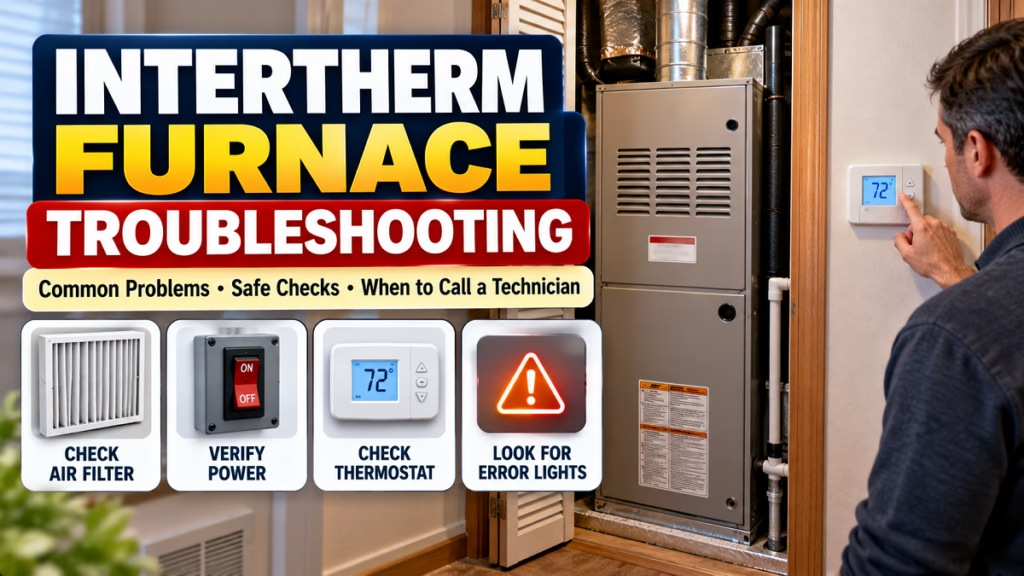
Common Intertherm Mobile Home Furnace Problems
Intertherm furnaces are used in manufactured and mobile homes, and troubleshooting depends on the specific model and fuel type. The manufacturer’s installation instructions and diagnostic chart should take priority over generic advice.
| Symptom | Possible causes | Safe first check |
|---|---|---|
| Furnace will not turn on | Power, thermostat, door switch, or control issue | Check thermostat settings, breaker, and accessible power switch |
| Furnace runs but no warm air | Filter, airflow, ignition, or fuel supply problem | Check the filter and open supply registers |
| Starts, then shuts off | Airflow restriction or ignition/safety fault | Check the filter and note any diagnostic light pattern |
| Weak airflow | Dirty filter, blocked vents, blower problem | Replace a dirty filter and clear furniture from vents |
| Uneven room temperatures | Duct leakage, restricted airflow, thermostat location | Check accessible registers and thermostat settings |
| Unusual noises or smells | Loose components or a potentially serious fault | Shut down if unsafe and arrange qualified service |
These are possible causes, not definitive diagnoses. Electric, gas, and oil models have different components and service procedures.
1. Intertherm Furnace Won’t Turn On
If the furnace does not respond when the thermostat calls for heat, start with these checks:
- Set the thermostat to Heat and raise the set temperature a few degrees above the current room temperature.
- Check the home’s furnace breaker for a trip. If it trips again, do not keep resetting it.
- If it is safely accessible, verify that the furnace’s external power switch is on.
- Check that any user-accessible furnace access door is properly closed. Do not defeat a door interlock.
- If the furnace still does not start, note any flashing diagnostic light and consult the manual for the exact model.
Intertherm’s M1-series troubleshooting instructions specifically list electrical supply, the furnace on/off switch, thermostat circuitry, and control-module power among the checks for a burner motor that will not run.
2. Intertherm Furnace Runs but Blows Cold Air
A running blower does not necessarily mean the furnace has successfully ignited or energized its heating elements.
Possible causes include:
- Thermostat settings or wiring problems.
- Ignition or flame-detection failure on applicable gas models.
- A fuel-supply issue on gas or oil models.
- A tripped safety limit or another control fault.
- A heating-element or electrical fault on electric models.
What to do: Check the thermostat mode and the air filter first. If the blower runs but the air stays cold, observe the normal startup behavior without opening the combustion compartment or touching internal components. Use the model-specific diagnostic chart, or arrange professional service.
Do not assume every Intertherm furnace uses a gas igniter or flame sensor; the design depends on the model and fuel type.
3. Furnace Starts and Then Shuts Off
A furnace that starts and stops repeatedly may be experiencing short cycling. Potential causes include restricted airflow, ignition or flame-sensing problems, venting issues on applicable models, or a safety control shutting down the system.
Try these safe checks:
- Inspect the accessible air filter and replace it if dirty.
- Make sure supply registers are not blocked by furniture or rugs.
- Check whether the thermostat is in a location exposed to drafts or unusual heat.
- Note any error-light sequence before switching the unit off.
If the furnace repeatedly shuts down, or a safety switch trips more than once, stop operating it and contact a qualified HVAC technician. Never bypass or repeatedly reset a limit or rollout switch. A rollout fault can indicate a dangerous combustion or venting problem.
4. Weak Airflow or Some Rooms Stay Cold
Weak airflow can make a mobile home difficult to heat evenly. Common possibilities include a dirty filter, closed or obstructed registers, blocked return-air pathways, dirty blower components, or ductwork problems.
Safe checks:
- Check the filter according to the instructions for your unit.
- Replace a disposable filter with the correct size and type if it is dirty.
- Ensure supply registers and return-air openings are clear.
- Look for obvious damage to accessible ductwork without dismantling the furnace.
- If airflow remains weak, have a technician inspect the blower and duct system.
Do not operate the furnace without a required filter or install a filter that restricts airflow beyond the manufacturer’s specification.
5. Intertherm Furnace Error Light or Flashing Code
Some Intertherm furnace control boards use diagnostic LEDs to indicate a fault or operating status. The meaning of a flash pattern is model-specific, so a code from one series should not automatically be applied to another.
- Observe the light only if it is visible without removing safety covers.
- Count the flashes and note any pause or repeating sequence.
- Look for the diagnostic chart on the unit or in the exact model’s manual.
- Give the model number and recorded code to the technician if the issue persists.
The Intertherm M7RL installation manual, for example, directs users to its own LED fault table and wiring diagram when interpreting control-board indicators.
6. Check the Air Filter and Perform Basic Maintenance
A dirty filter can restrict airflow and reduce heating performance. Intertherm recommends regular maintenance and an annual professional inspection; the appropriate filter interval depends on the unit, environment, and filter type.
A simple maintenance routine:
- Inspect the filter at the interval specified in the owner’s manual.
- Keep the area around the furnace free from stored items and debris.
- Keep air registers and return-air openings clear.
- Arrange annual inspection and cleaning by a qualified technician.
- Have combustion venting, fuel connections, electrical components, and safety controls checked by a professional as applicable.
Before replacing a user-serviceable filter, follow the manual’s instructions. Turn off power where required, and do not reach into the blower compartment or work on wiring.
7. When to Call an HVAC Technician
Contact a qualified technician if the furnace continues to fail after basic checks, a breaker repeatedly trips, an unusual noise or burning smell occurs, or the unit repeatedly activates a safety shutdown. Intertherm also recommends professional attention for unusual smells, abnormal noises, and persistent power or cycling issues.
For a gas smell, leave the home and call the gas supplier or emergency services from a safe location. For a carbon monoxide alarm or suspected carbon monoxide exposure, get everyone outside and seek emergency assistance.
Do not remove combustion components, adjust gas pressure, test live wiring, or bypass safety switches as a DIY troubleshooting step.
Find the Correct Intertherm Furnace Manual
The most useful next step for a persistent fault is identifying the exact model. Intertherm says the serial number for a furnace is on a label inside the equipment, and the owner’s manual is supplied with the equipment.
Use these resources:
- Intertherm FAQs and equipment information
- Intertherm MG1 mobile home furnace installation instructions
- Intertherm M1-series troubleshooting instructions
Check that the manual matches your unit before using its diagnostic chart or service instructions.
Frequently Asked Questions
Why is my Intertherm mobile home furnace not working?
Common possibilities include a power interruption, thermostat issue, dirty filter, ignition problem, or safety shutdown. Start with external checks and use the diagnostic chart for your exact model.
Why does my Intertherm furnace keep turning on and off?
Repeated cycling can be caused by restricted airflow, a thermostat issue, an ignition fault, or a safety control. If it continues after checking the filter and registers, arrange professional service.
Where can I find the Intertherm furnace model number?
Look for the equipment identification label. Intertherm notes that the furnace serial number is on a label inside the equipment; access it only as directed by the owner’s manual and do not reach into internal components.
Can I reset an Intertherm furnace myself?
Only follow the reset procedure specified in the exact model’s owner’s manual. Do not repeatedly reset a furnace that keeps shutting down, and never reset or bypass a safety switch to force operation.
How often should an Intertherm furnace be serviced?
A professional annual inspection is a useful maintenance baseline. Filter inspection and replacement frequency depend on the model, filter type, and household conditions.
Conclusion
Intertherm mobile home furnace troubleshooting should begin with safe, simple checks: thermostat settings, accessible power supply, air filter, and unobstructed vents. If the furnace still will not heat, cycles repeatedly, or shows a fault code, consult the exact model’s manual and contact a qualified technician rather than guessing at replacement parts.
Intertherm Furnace, Mobile Home Furnace, Furnace Troubleshooting, Furnace Not Heating, Furnace Repair, HVAC Maintenance, Furnace Error Codes, Manufactured Home Heating

Hindimeto.com एक हिंदी ब्लॉग है जो आपको विभिन्न विषयों पर जानकारी देता है। इस ब्लॉग का संस्थापक और प्रबंधक Avi Sharma है, जो एक पेशेवर ब्लॉगर और लेखक हैं।
Avi Sharma ने इस ब्लॉग को 2020 में शुरू किया था, जब उन्होंने अपनी पहली पोस्ट Tech के बारे में लिखी थी। उनका लक्ष्य था कि वे अपने अनुभव और ज्ञान को लोगों के साथ साझा करें और उन्हें हिंदी में उपयोगी और रोचक सामग्री प्रदान करें।
आज, Hindimeto.com एक लोकप्रिय और विश्वसनीय हिंदी ब्लॉग बन गया है, जो आपको Tech, Mobile, Apps, Make money, Biography article, Government scheme जैसे विषयों पर अद्भुत और गहन जानकारी देता है।