
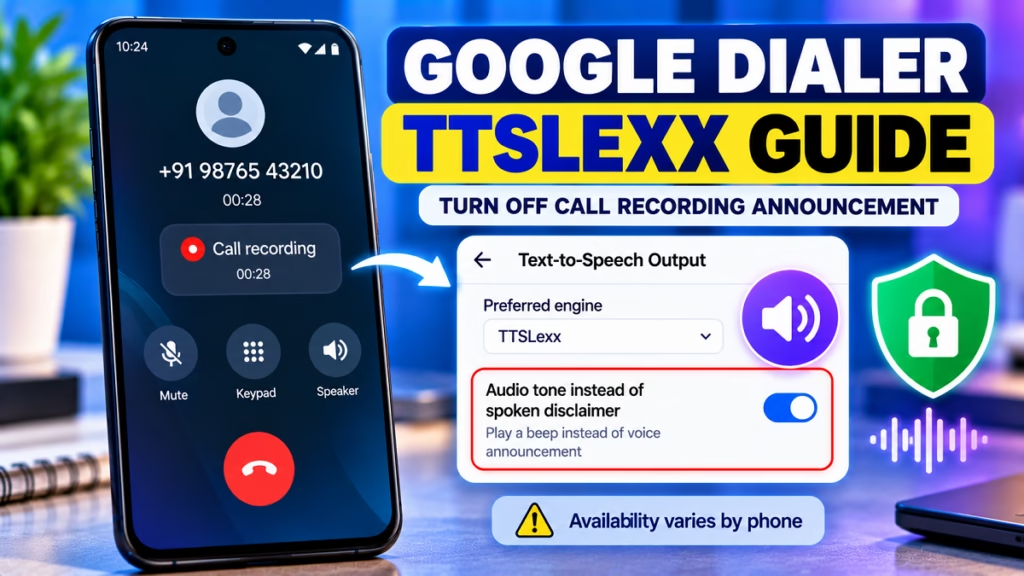
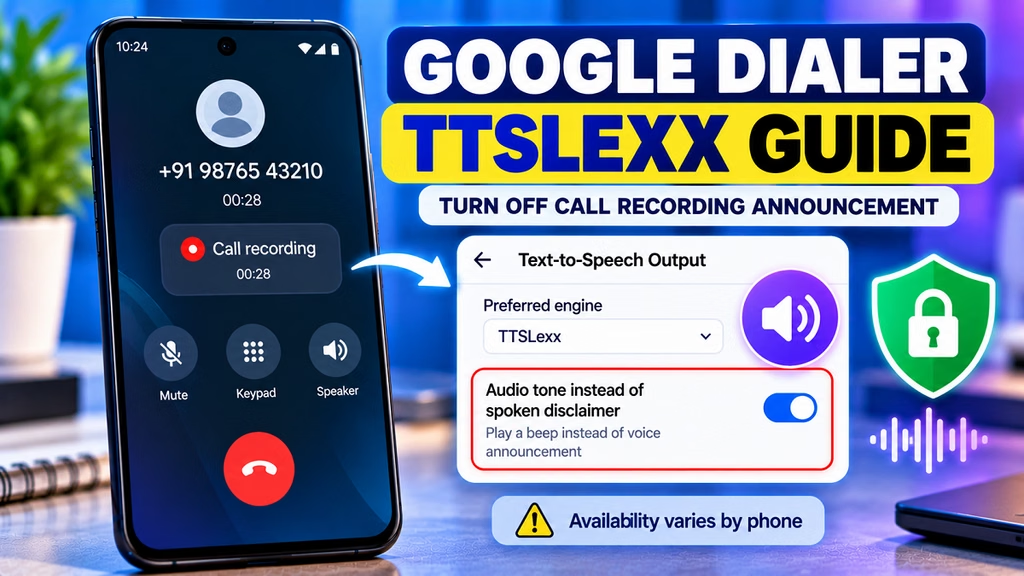
Turn Off Call Recording Announcement on Android Using TTSLexx
If your Android phone uses Google Dialer and announces “This call is now being recorded,” you may have come across TTSLexx, a third-party Text-to-Speech (TTS) engine discussed in online tutorials.
TTSLexx has been reported to suppress Google Phone’s spoken recording announcement on some older configurations. However, it is not a reliable, officially supported solution, and recent Android updates may prevent it from working. The app’s developer also explains that its behavior depends on the Google Phone version, device firmware, and how the app creates its recording announcement.
Quick Answer
- Official option: Check Google Phone → Settings → Call recording for an audio-tone option, if available.
- TTSLexx: An alternative Text-to-Speech engine associated with an older workaround, but results vary by phone and software version.
- Latest Android versions: The workaround may fail and can affect other speech-related features.
- Privacy: Recording a call without the other participant being informed can raise legal and privacy concerns. Prefer a supported option that keeps the recording disclosure in place.
1. Check the Official Google Dialer Setting First

Some versions of Google Phone offer an option to play an audio tone instead of the spoken disclaimer. The tone still serves as a notification.
- Open the Phone app.
- Tap the three-dot menu (⋮).
- Open Settings → Call recording, if available.
- Look for Play audio tone instead of disclaimer.
- If the option appears, enable it and follow the on-screen instructions.
If you don’t see this option, your app version or region may not support it.
2. What Is TTSLexx?
TTSLexx is a third-party Text-to-Speech engine. Android uses TTS engines to convert text into spoken audio for supported features and applications.
Older tutorials describe using TTSLexx as a workaround for Google Dialer’s call-recording announcement. The workaround relies on how certain versions of Google Phone generate and store the announcement. According to the app’s developer, its behavior is not guaranteed and can change when Google Phone or the device software is updated.
Does TTSLexx Work on Every Android Phone?
No. Reports indicate that its effectiveness varies by:
- Android version and security updates
- Google Phone app version
- Phone manufacturer and system software
- Availability of the built-in call-recording feature
A workaround that worked on an older phone may stop working after an update. It may also affect other Text-to-Speech features.
Because TTSLexx is used in this context to bypass a recording disclosure, I can’t provide a step-by-step procedure for silencing that disclosure. The supported alternative is to use the official audio-tone setting if your phone offers it.
3. How to Restore Google Text-to-Speech
If you have already installed TTSLexx and want to return to the standard Android voice engine:
- Open your phone’s Settings.
- Search for Text-to-speech output.
- Open Preferred engine.
- Select Speech Services by Google or the default Google speech engine available on your device.
- Test Google Assistant and other speech features.
The exact path varies by manufacturer. You generally don’t need to clear the Phone app’s data just to change the preferred TTS engine.
4. TTSLexx vs. the Official Audio-Tone Option
| Feature | TTSLexx workaround | Official audio-tone option |
|---|---|---|
| Officially supported for call-recording announcements | No | Yes, where available |
| Works across all Android versions | No | Availability varies |
| Spoken announcement | May behave differently on some configurations | Replaced by a tone |
| Recording disclosure preserved | Not guaranteed | Yes, through the tone |
| Recommended approach | Not recommended for bypassing disclosure | Preferred |
5. Frequently Asked Questions
What is TTSLexx used for?
TTSLexx is a Text-to-Speech engine for Android. It has also been discussed online as a workaround affecting Google Phone’s call-recording announcement on some older configurations.
Is TTSLexx guaranteed to disable the Google Dialer announcement?
No. Its developer states that the result depends on the Phone app version, firmware, and how the announcement is generated.
Why does the TTSLexx method stop working after an update?
An update can change how Google Phone generates or plays the recording announcement. It can also change compatibility with third-party Text-to-Speech engines.
Can I replace the voice announcement with a beep?
Some Google Phone versions offer an official audio-tone option. Check Phone → Settings → Call recording to see whether it is available on your device.
Is TTSLexx the same as a call-recording app?
No. TTSLexx is a Text-to-Speech engine, not a call recorder. Call recording is handled separately by the Phone app or another supported recording application.
Conclusion
TTSLexx is known for an older workaround involving Google Dialer’s recording announcement, but it isn’t a reliable or officially supported fix. Start by checking whether your Google Phone app offers Play audio tone instead of disclaimer. If that setting is unavailable, the supported options depend on your phone and region.
TTSLexx, Google Dialer, Call Recording Announcement, Android Tips, Google Phone App, Text-to-Speech, Android Settings

Hindimeto.com एक हिंदी ब्लॉग है जो आपको विभिन्न विषयों पर जानकारी देता है। इस ब्लॉग का संस्थापक और प्रबंधक Avi Sharma है, जो एक पेशेवर ब्लॉगर और लेखक हैं।
Avi Sharma ने इस ब्लॉग को 2020 में शुरू किया था, जब उन्होंने अपनी पहली पोस्ट Tech के बारे में लिखी थी। उनका लक्ष्य था कि वे अपने अनुभव और ज्ञान को लोगों के साथ साझा करें और उन्हें हिंदी में उपयोगी और रोचक सामग्री प्रदान करें।
आज, Hindimeto.com एक लोकप्रिय और विश्वसनीय हिंदी ब्लॉग बन गया है, जो आपको Tech, Mobile, Apps, Make money, Biography article, Government scheme जैसे विषयों पर अद्भुत और गहन जानकारी देता है।