
Can you turn off the announcement without installing an app?
Not completely through a standard Android setting when using Google Dialer’s built-in call recorder. Google’s Phone app documentation and Motorola’s support guidance state that both participants are notified when recording starts and stops.
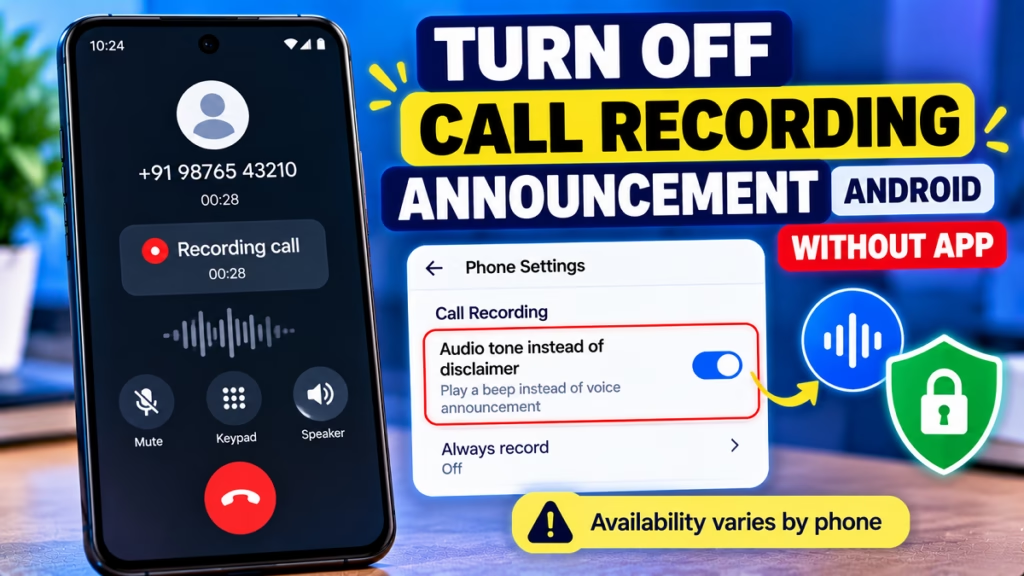
You can check whether your phone supports an audio tone instead of the spoken announcement:
- Open Phone.
- Tap ⋮ → Settings → Call recording.
- Look for Play audio tone instead of disclaimer.
- If available, enable it. If it isn’t there, your device or region may not support it.
The tone still provides a recording notification.
1. What If the Audio-Tone Option Is Missing?
If your Phone app doesn’t show this setting, there isn’t a standard Android toggle to silence the recording announcement completely. The option may be limited by device type and region.
Your practical options are to keep the built-in disclosure, disable automatic recording if you don’t need it, or check your manufacturer’s official guidance for supported alternatives.
2. FAQs
Can I turn off the Google Dialer recording announcement without an app?
Not completely through standard settings. Some devices offer an audio-tone option, but the notification remains.
Does the audio-tone option remove the recording alert?
No. It replaces the spoken disclaimer with a tone, where supported.
Can I disable automatic call recording instead?
Yes, if your Phone app offers the setting. Open Phone → Settings → Call recording and review the automatic-recording rules.
Why doesn’t my Android phone show the audio-tone option?
Availability depends on the phone model, region, and Google Phone version.
Conclusion
To manage the Google Dialer call recording announcement without installing another app, check Phone → Settings → Call recording for the audio-tone option. If it isn’t available, standard Android settings don’t provide a supported way to silence the announcement completely. Google’s built-in recorder notifies both participants when recording starts and stops.
Google Dialer, Call Recording Announcement, Android Tips, Google Phone App, Call Recording Settings, Android Privacy, Phone Settings

Hindimeto.com एक हिंदी ब्लॉग है जो आपको विभिन्न विषयों पर जानकारी देता है। इस ब्लॉग का संस्थापक और प्रबंधक Avi Sharma है, जो एक पेशेवर ब्लॉगर और लेखक हैं।
Avi Sharma ने इस ब्लॉग को 2020 में शुरू किया था, जब उन्होंने अपनी पहली पोस्ट Tech के बारे में लिखी थी। उनका लक्ष्य था कि वे अपने अनुभव और ज्ञान को लोगों के साथ साझा करें और उन्हें हिंदी में उपयोगी और रोचक सामग्री प्रदान करें।
आज, Hindimeto.com एक लोकप्रिय और विश्वसनीय हिंदी ब्लॉग बन गया है, जो आपको Tech, Mobile, Apps, Make money, Biography article, Government scheme जैसे विषयों पर अद्भुत और गहन जानकारी देता है।