
How to Hide Your Active Status on Instagram From One Person
Want to use Instagram without letting a particular person see when you’re online? Instagram doesn’t have a dedicated Active Status switch for each individual account, but you can use its Restrict feature to hide your online status from that person without turning it off for everyone.
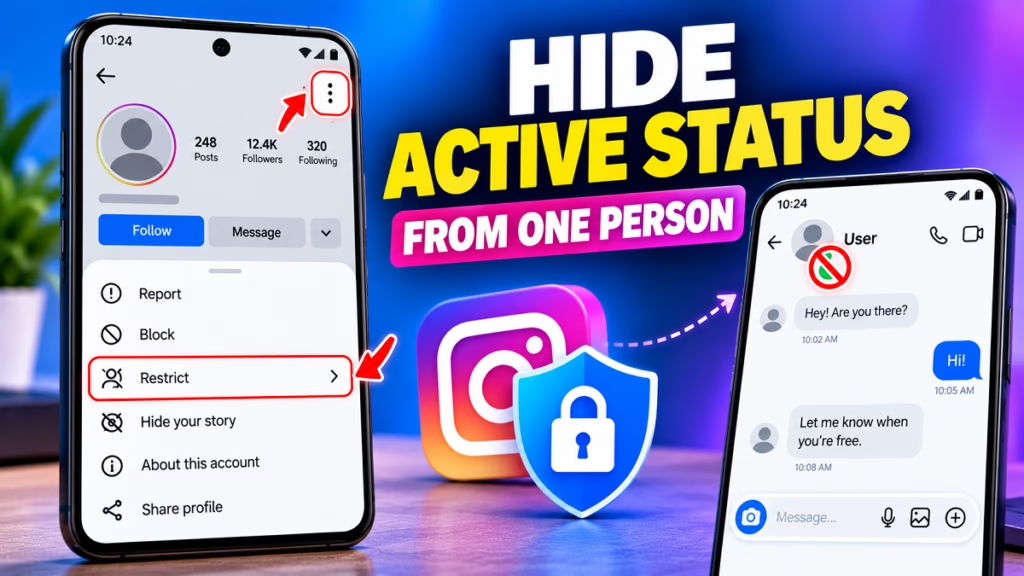
Quick Answer
To hide your Instagram Active Status from one person:
- Open Instagram and go to that person’s Profile.
- Tap the three-dot menu (⋮).
- Select Restrict.
- Confirm your choice.
The restricted person should no longer see when you’re active or whether you’ve read their messages. However, Restrict also changes how their messages and comments work, so it is more than just hiding the green dot.
Method 1: Hide Your Active Status From One Person Using Restrict

Follow these steps:
Step 1: Open the Person’s Instagram Profile
Open Instagram and search for the username of the person from whom you want to hide your Active Status.
Step 2: Tap the Three-Dot Menu
Open their Profile and tap the three dots (⋮) in the upper-right corner.
Step 3: Select Restrict
Find Restrict in the menu and tap it. If Instagram displays a confirmation message, confirm the action.
Step 4: Check Your Restricted Accounts
To check whether the restriction is active:
- Open your Instagram Profile.
- Tap the ☰ menu.
- Open Settings and activity.
- Find Restricted or Restricted accounts.
- Check whether that person’s username appears in the list.
The exact menu labels may vary by Instagram version. Restricting an account is designed to prevent that person from seeing your Active Status and Read Receipts.
Method 2: Turn Off Active Status for Everyone
If you don’t want anyone to see when you’re online, you can disable Activity Status completely.

- Open Instagram and go to your Profile.
- Tap the ☰ menu in the upper-right corner.
- Select Settings and activity.
- Open Messages and story replies.
- Tap Show activity status.
- Turn off Show your active status.
This hides your online and last-active indicators from eligible accounts. The trade-off is that you won’t be able to see their Activity Status either.
Restrict vs. Turn Off Active Status
| Feature | Restrict one person | Turn off Active Status |
|---|---|---|
| Hide your online status | From that person | From everyone covered by the setting |
| Keep status visible to others | Yes, generally | No |
| Hide message Read Receipts | From that person | Not automatically |
| Change how messages work | Yes | No |
| Best for | One specific person | Everyone |
Important: Restricting someone can also move their messages to Message Requests and limit how their comments appear. Choose it only if those additional changes are acceptable.
Frequently Asked Questions
1. Can I hide my Instagram Active Status from one person only?
Instagram doesn’t offer a dedicated per-person Active Status switch. Restricting the person is the practical in-app workaround.
2. Will the person know if I restrict them?
Instagram doesn’t send a direct notification when you restrict someone. However, they might notice changes in messages or comments.
3. Can a restricted person still see my posts?
Generally, yes. Restrict is different from Block, and post visibility still depends on your account’s privacy settings.
4. Does turning off Active Status hide Read Receipts?
No. Activity Status and Read Receipts are separate controls. You need to change the relevant Read Receipts setting separately if you want to hide when you’ve read messages.
5. Can I hide my Active Status from one person without restricting them?
Not through Instagram’s standard Active Status setting. You can turn off Activity Status for everyone, but if you want to keep it visible to others, Restrict is the practical alternative.
Conclusion
To hide your Active Status on Instagram from one person, open their Profile, tap the three-dot menu, and select Restrict. If you want to hide your online status from everyone, disable Show your active status in Instagram’s settings.
Instagram Tips, Instagram Active Status, Instagram Privacy, Hide Online Status, Restrict Instagram, Instagram Settings, Social Media Tips

Hindimeto.com एक हिंदी ब्लॉग है जो आपको विभिन्न विषयों पर जानकारी देता है। इस ब्लॉग का संस्थापक और प्रबंधक Avi Sharma है, जो एक पेशेवर ब्लॉगर और लेखक हैं।
Avi Sharma ने इस ब्लॉग को 2020 में शुरू किया था, जब उन्होंने अपनी पहली पोस्ट Tech के बारे में लिखी थी। उनका लक्ष्य था कि वे अपने अनुभव और ज्ञान को लोगों के साथ साझा करें और उन्हें हिंदी में उपयोगी और रोचक सामग्री प्रदान करें।
आज, Hindimeto.com एक लोकप्रिय और विश्वसनीय हिंदी ब्लॉग बन गया है, जो आपको Tech, Mobile, Apps, Make money, Biography article, Government scheme जैसे विषयों पर अद्भुत और गहन जानकारी देता है।